When Your AI Costs $300 a Month, Your Brain Has to Think Harderjosua mc
For a lot of people, AI feels cheap when they first use it. Type a prompt, get an answer, move on. It feels fast, convenient, almost effortless.
That illusion dies the moment your AI stack starts costing real money.
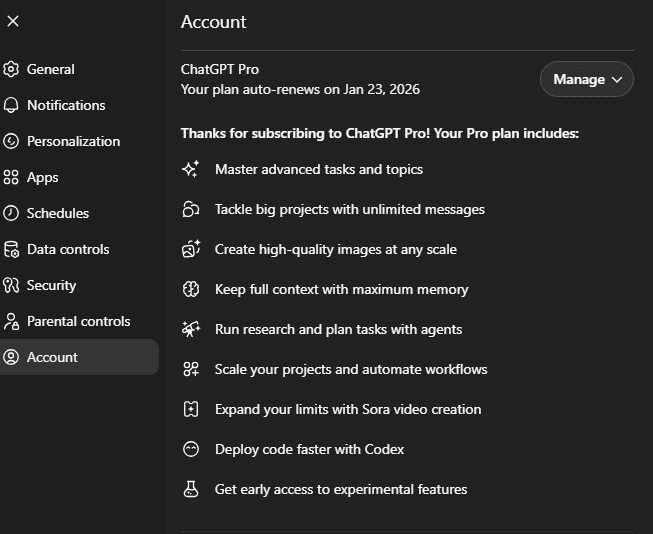
When you are paying $300 a month for AI tools, you stop treating them like toys. You stop using them for lazy shortcuts. You stop asking weak questions and expecting gold. At that price, every prompt becomes a business decision.
And that is where something interesting happens: your brain starts working harder.
Expensive AI Exposes Bad Thinking
Most people do not have an AI problem. They have a thinking problem.
They write vague prompts, give no context, define no goal, and then act surprised when the output is generic. That might be tolerable when the tool feels cheap. But once the monthly bill hits serious territory, bad usage becomes painful.
A $300 monthly AI cost forces a brutal question:
Is this making me better, faster, or richer — or am I just burning money to automate mediocrity?
That question changes behavior.
You begin to notice that AI is not magic. It is leverage. And leverage only works when there is something solid to amplify. Clear thinking gets amplified. Sharp structure gets amplified. Good judgment gets amplified. Sloppy thinking gets amplified too — just faster and at scale.
The Real Cost Is Not the Subscription
The real cost is not the $300.
The real cost is using powerful tools without a system.
If you are paying for advanced models, premium copilots, automation platforms, research tools, and API usage, but you still do not know exactly what problems you are solving, you are not investing. You are drifting.
The people who get insane value from AI are not necessarily the smartest in raw IQ terms. They are the most intentional. They know what they want before they open the tool.
They use AI to:
- speed up research
- challenge assumptions
- draft faster
- test options
- summarize complexity
- automate low-value repetition
- free up time for high-value judgment
That is the difference. AI should remove friction, not replace thought.
Cheap Prompts Create Expensive Waste
A weak prompt looks harmless. It is not.
A weak prompt creates:
- bloated output
- wrong assumptions
- shallow analysis
- extra editing time
- false confidence
- bad decisions made faster
Now multiply that across a month of work.
The problem with expensive AI is not that it costs too much. The problem is that it punishes careless users. If your instructions are trash, your output will be polished trash. And polished trash is dangerous because it looks finished.
That is why paying more for AI should make you more demanding, not less.
You should be asking:
- What exactly do I need?
- What context is missing?
- What constraints matter?
- What does success look like?
- What part should AI handle, and what part requires my judgment?
That is not overthinking. That is competent tool usage.
AI Should Make You More Strategic, Not More Passive
There is a lazy way to use AI: hand over the task and hope for the best.
There is a smart way to use AI: use it to strengthen your reasoning.
The smart user does not ask AI to think instead of them. They ask AI to think with them.
That means using it to:
- generate alternatives
- identify blind spots
- simulate objections
- break down messy problems
- stress-test plans
- convert ideas into execution steps
In other words, the more you spend on AI, the less passive you can afford to be.
A premium AI setup demands premium thinking.
The ROI Comes From Better Questions
The people wasting money on AI are usually asking it to do random tasks.
The people getting massive returns are asking better questions.
Not:
“Write me something about marketing.”
But:
“Write a landing page for a B2B SaaS product aimed at finance teams in companies with 50–200 employees. The goal is demo bookings. Keep the tone direct, credible, and low-hype. Focus on reconciliation pain, audit readiness, and time saved.”
That is where value appears.
AI is only as useful as the clarity behind the request. The bill gets higher, so the quality of your thinking has to rise with it.
At $300 a Month, AI Becomes a Mirror
Here is the uncomfortable truth: expensive AI reveals who is serious and who is pretending.
If your workflow is sloppy, AI will expose it.
If your goals are fuzzy, AI will expose that too.
If you cannot tell good output from bad output, AI becomes a liability.
But if you are disciplined, thoughtful, and outcome-driven, AI becomes unfair advantage.
It can compress hours into minutes.
It can turn rough ideas into usable drafts.
It can help you move faster without lowering standards.
That is why the real skill is not “using AI.”
The real skill is directing intelligence effectively.
Final Thought
When your AI costs $300 a month, your brain has to think harder because the stakes are higher.
You cannot afford lazy prompts.
You cannot afford weak judgment.
You cannot afford to confuse convenience with value.
Expensive AI is not just a software expense. It is a forcing function. It pushes you to become clearer, sharper, and more deliberate.
And that is probably the biggest lesson of all:
The more powerful the tool, the more responsibility shifts back to the user.
AI does not remove the need to think.
It punishes people who refuse to.